
Some issues outlive the chat that raised them - a bug that needs engineering, a refund that needs finance, a question that needs research. Tickets turn those conversations into tracked work items with a status, an assignee, and a link back to the original transcript, so nothing falls through after the chat window closes.
Creating Tickets
From a conversation
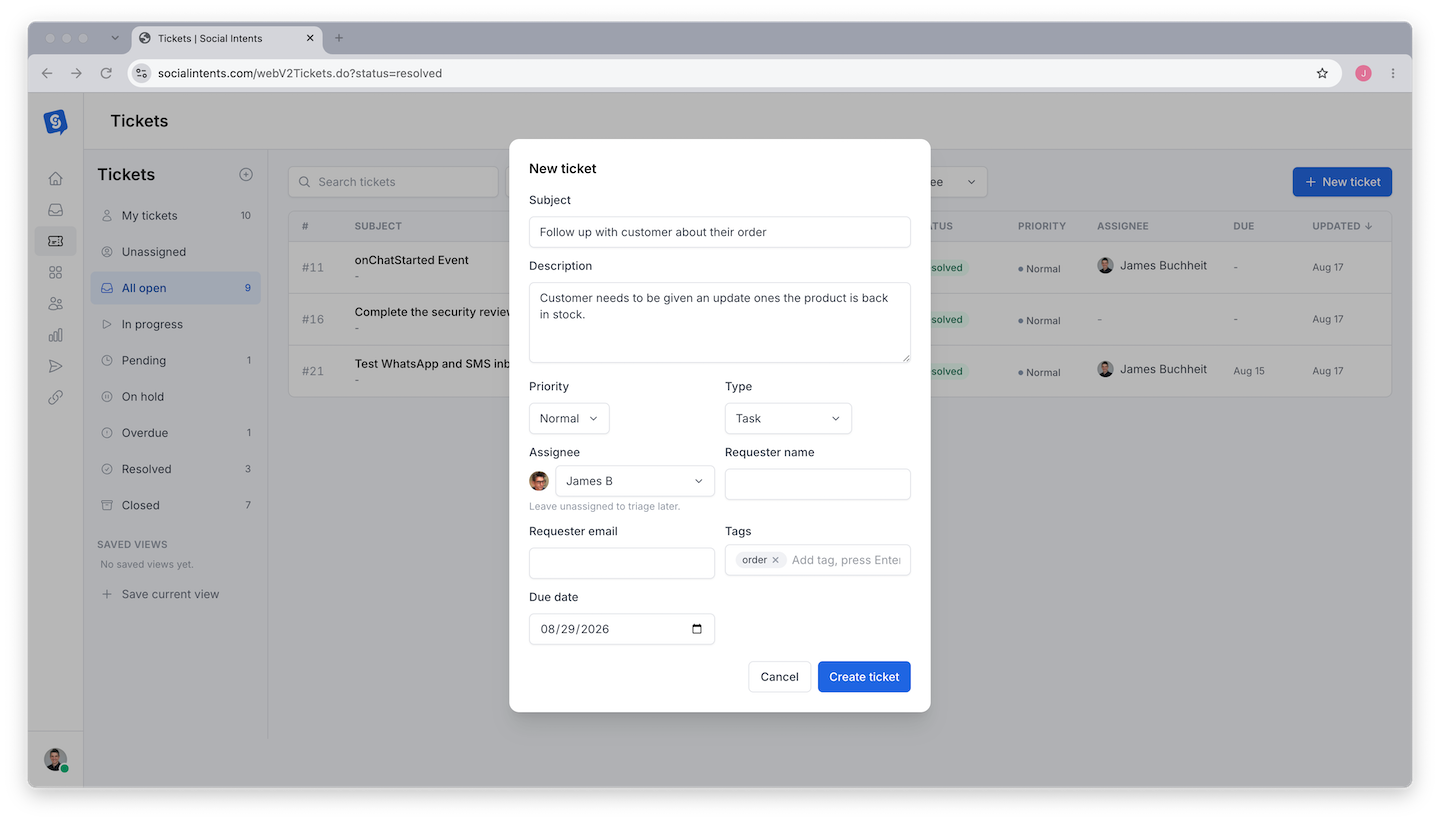
In the Inbox, open the conversation and choose Create Ticket. The ticket links to the chat automatically: the requester's name and email are filled from the visitor's details, the transcript stays attached, and the visitor's contact record is connected when one exists.
From scratch
On the Tickets page, create a ticket directly - useful for issues that arrive by phone or in person but should live in the same queue.
Working the Queue
- Status - Move tickets through open, in progress, and resolved as work happens. The list filters by status so the open queue stays scannable.
- Assignment - Give each ticket an owner. Unassigned tickets are the first thing to triage each morning.
- Context - From a ticket, jump to the linked conversation transcript and the requester's contact profile with their full history.
A Simple Workflow That Scales
- During chat: if you cannot resolve it live, create the ticket before closing the conversation and tell the visitor what happens next.
- Daily: triage unassigned tickets; everything gets an owner.
- On resolution: follow up with the requester by email or SMS straight from their contact record, then mark the ticket resolved.
- Weekly: scan resolved tickets for recurring issues - each cluster is a candidate for a knowledge-base fix or an AI training addition that prevents the next ten tickets.
Frequently Asked Questions
Who can create and manage tickets?
Any team member can create tickets from conversations they handle. Visibility follows the same role rules as the rest of the dashboard - see Understanding Roles.
Does the visitor see the ticket?
No - tickets are internal. Communicate with the requester through the chat, email, or SMS as usual; the ticket tracks the work on your side.
Can a ticket link to more than one conversation?
A ticket links to the conversation it was created from. If the same visitor chats again, their contact record shows all conversations and tickets together, which covers the multi-chat case in practice.
Do I still need a separate helpdesk?
For chat-driven support, usually not - tickets cover the follow-up workflow. Teams with heavy email-first support pipelines sometimes keep a dedicated helpdesk alongside; webhooks and Zapier can bridge the two.