
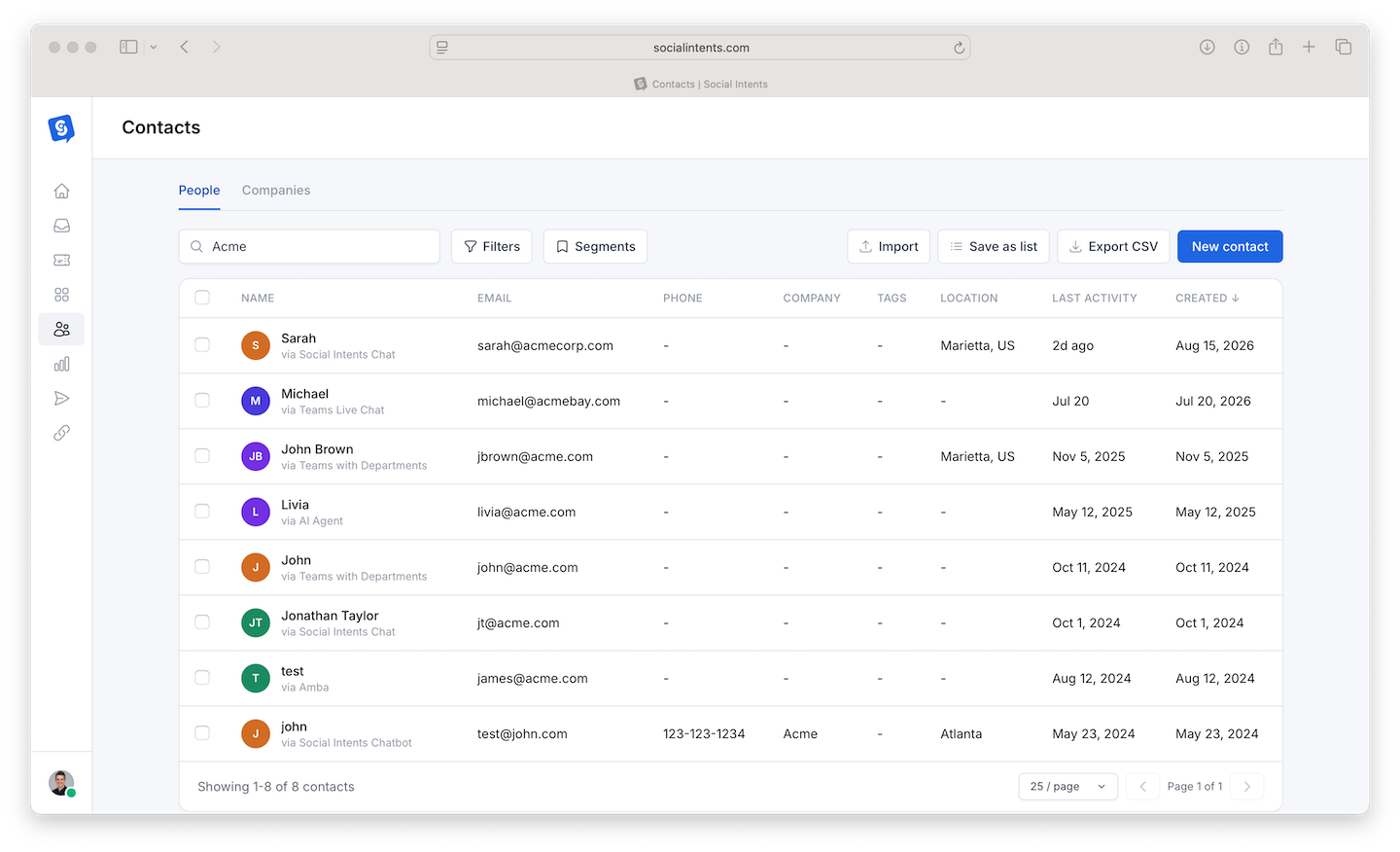
Every visitor who shares an email, phone number, or pre-chat details becomes a Contact - a profile with their conversation history, tickets, and custom fields. Contacts with the same business email domain roll up into Companies, giving you an account-level view of everyone you have talked to at an organization. Both live under Contacts in the sidebar.
Where Contacts Come From
- Pre-chat forms - Name, email, phone, and custom fields collected before the chat. See Pre-Chat Forms and Custom Fields.
- Offline lead forms - Captured when nobody is available. See What Happens When Everyone Is Offline.
- Messaging channels - WhatsApp and SMS conversations create contacts from the phone number automatically.
- Email channel - Inbound emails create or match contacts by address. See The Email Channel.
- AI actions - Lead-capture actions store details the bot collects mid-conversation. See Capturing Leads to Your CRM.
The Contact Profile
Open any contact to see identity and custom fields, every conversation across every channel, linked tickets, and their company. Two actions matter most day to day:
- Compose email or SMS - Follow up directly from the profile (requires the email channel or an SMS number to be configured). The reply becomes a new conversation in the Inbox.
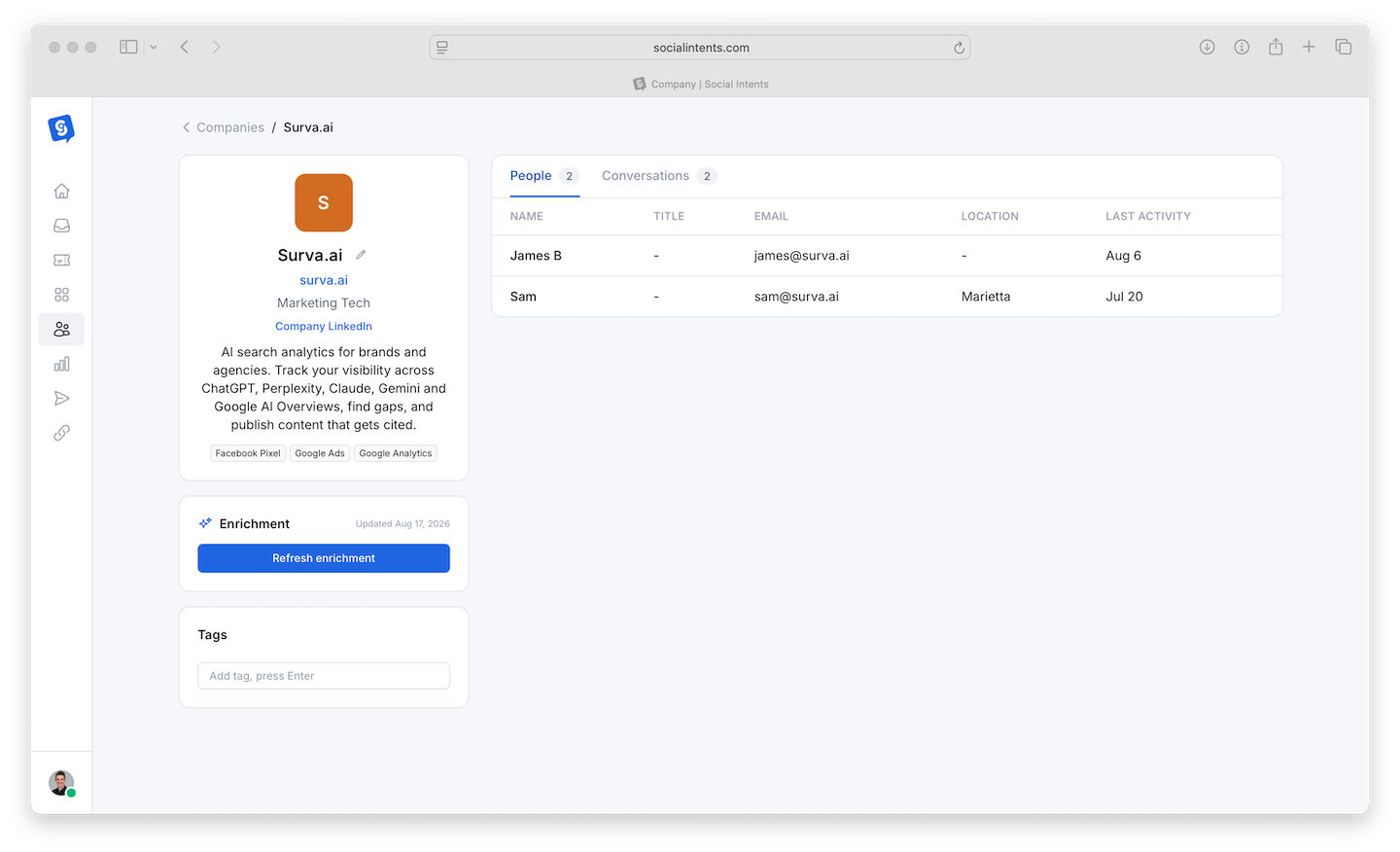
- Enrich - Fill in company details - size, industry, location - from the contact's business domain, so sales context is one click away.
Companies
The Companies tab groups contacts by business email domain automatically (personal providers like gmail.com are excluded). A company page shows every person you have talked to at that organization, all their conversations, and enriched firmographic details. For B2B teams this answers the question CRMs are bought for - "what is our full history with this account?" - with zero data entry.
Getting Contacts Into Your CRM
Contacts complement rather than replace your CRM. To sync them out: lead exports (CSV), webhooks on new leads and transcripts, Zapier, or direct CRM push via AI actions to HubSpot, Salesforce, or Dynamics 365.
Frequently Asked Questions
Are anonymous visitors contacts?
Not until they share something identifying - an email, a phone number, or pre-chat details. That is by design: the Contacts list stays a list of real, reachable people.
Do duplicate contacts get merged?
Conversations match to existing contacts by email or phone, so a returning visitor with the same details lands on the same profile rather than creating a duplicate.
Who can edit or delete contacts?
Contact management follows dashboard roles - Admins and Managers have full control. Deleting a contact for privacy requests is covered in Data Retention and Deletion.