
Reading every transcript stops scaling around fifty conversations a week. Analyze applies AI to the whole stream for you: every conversation is scored for sentiment and grouped into topics, so you can see what people ask about and how they feel - and drill into the conversations behind any number.
Sentiment
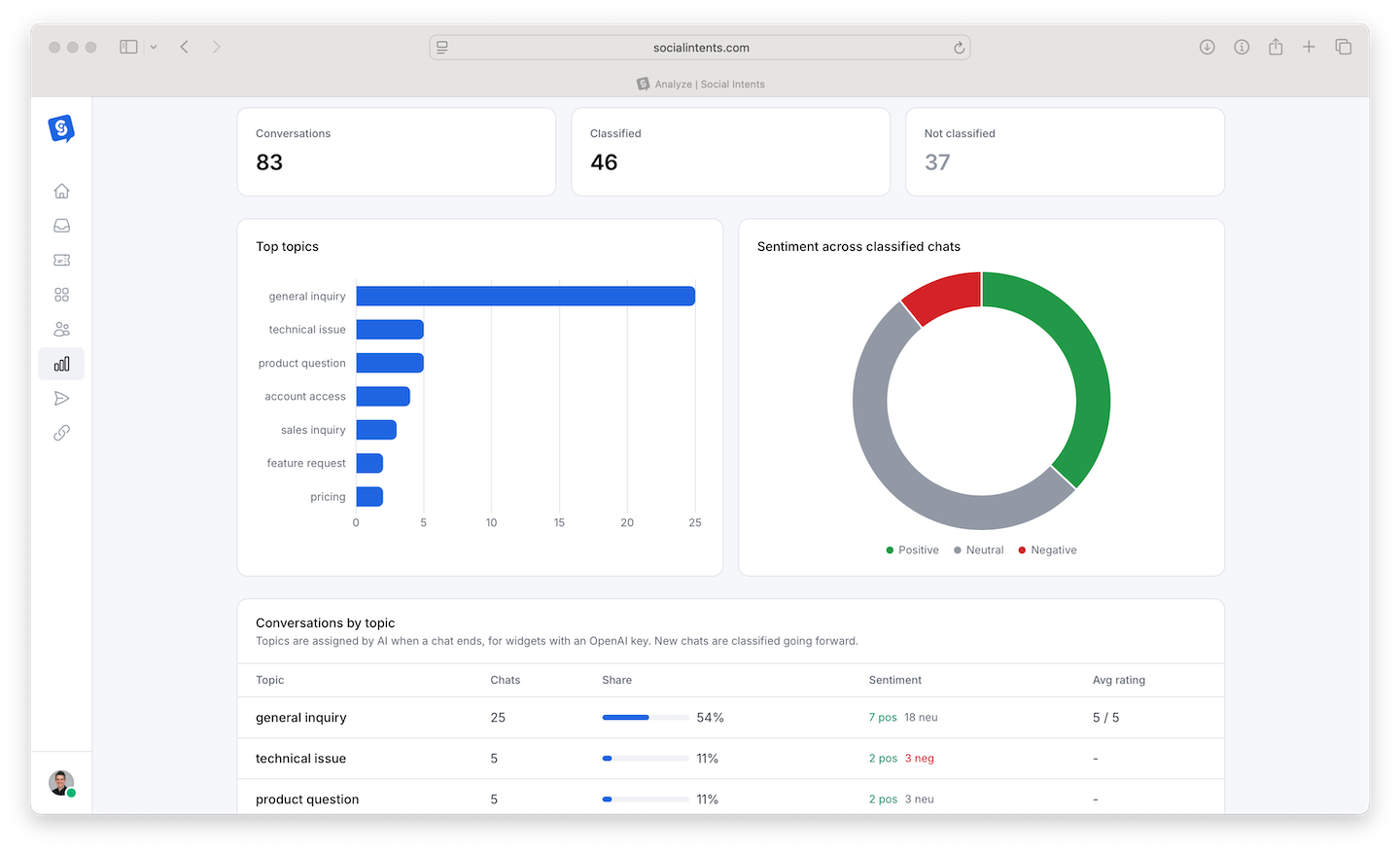
Each conversation receives a sentiment classification - positive, neutral, or negative - based on the visitor's side of the exchange. In Analyze you see the distribution over time and can filter to read, for example, only negative conversations from last week.
How teams use it:
- Quality control - Review negative-sentiment conversations weekly; they surface bad bot answers, policy friction, and coaching moments faster than any other filter.
- Trend detection - A sentiment dip after a release or price change quantifies the reaction while it is still fixable.
- Agent context - Pair sentiment review with satisfaction scores - sentiment covers every conversation, while ratings only come from visitors who bother to answer.
Conversation Topics
Topics cluster conversations by what they are actually about - "shipping questions", "refund requests", "API integration help" - without you defining categories up front. The topic view shows volume per topic and its trend.
What topics answer:
- What should the bot learn next? - Your highest-volume topic with high escalation is the best candidate for knowledge training or a dedicated AI action.
- What is broken this week? - A topic spiking from nowhere usually means something on your site or product changed.
- What content should exist? - Recurring topics with no matching page on your site are a content roadmap written by your customers.
A 15-Minute Weekly Ritual
- Open Analyze, set the range to last 7 days.
- Scan topic volumes - anything new or spiking?
- Filter to negative sentiment, read those transcripts.
- Turn findings into actions: a Q&A pair for the bot (Improve loop), a canned response, or a website fix.
Frequently Asked Questions
Are sentiment and topics available on all plans?
AI insights are included on plans with AI features enabled - see Plans, Billing & Upgrades for tiers.
Is scoring visible to visitors or agents in the chat?
No - sentiment and topics are analysis-side only, visible in Analyze to Admins and Managers.
How accurate is the sentiment classification?
Accurate enough to rank and filter reliably at volume. Individual edge cases (sarcasm, mixed feelings) can misclassify - treat sentiment as a triage lens, and read the transcript before acting on any single conversation.