
The email channel gives your team a support email address whose messages land in the same Inbox as your chats - one queue, one history, one set of contacts. Visitors email you; agents reply from the Inbox; the thread stays connected to the sender's contact record alongside their chat history.
How It Works
- Enable the email channel under Settings → Channels. Your account is assigned a unique, private forwarding address that is shown only inside your settings.
- Add a forwarding rule at your email provider so your public support address (for example, support@yourcompany.com) forwards to that private address - visitors keep emailing the address they already know.
- Each inbound email becomes a conversation in the Inbox, matched to an existing contact by sender address or creating a new one.
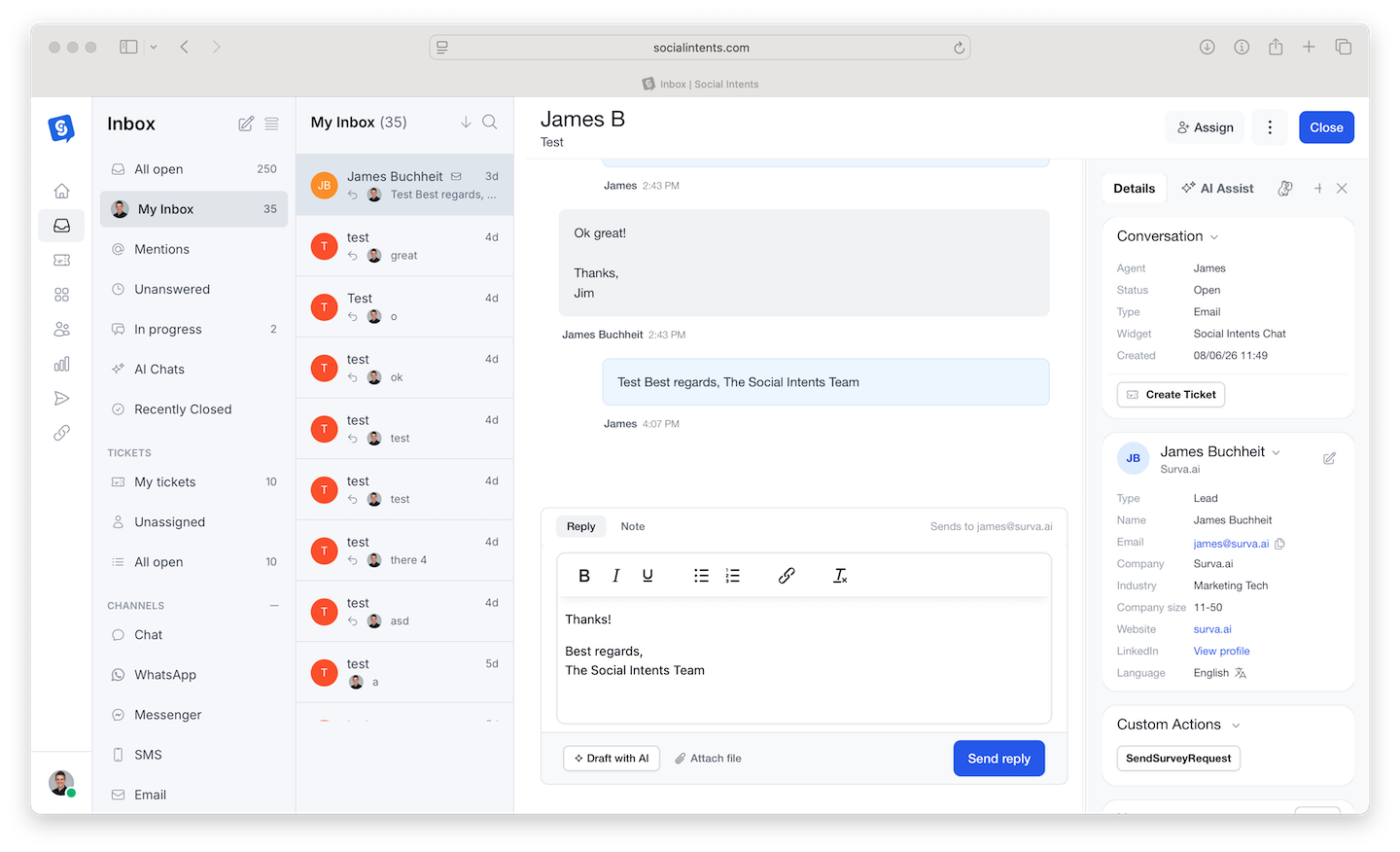
- Agents reply in the Inbox composer; the visitor receives a normal email reply. CCs on inbound mail are preserved and shown on the conversation.
What You Can Do with Email Conversations
- Rich replies with attachments - The email composer supports formatting and file attachments.
- Compose new threads - Start outbound emails from the Inbox compose menu or from any contact profile - useful for following up on a chat that ended.
- Everything the Inbox offers - Assignment, notes, tickets, and the awaiting-reply queue treat email conversations like any other channel.
Setup Notes
- Plan requirement - The email channel is available on paid tiers; see Plans, Billing & Upgrades.
- Forwarding, not hosting - You keep your existing mailbox and provider; forwarding simply mirrors support mail into the Inbox. Most teams add a forwarding rule in Google Workspace or Microsoft 365 in under five minutes.
- Unsubscribes respected - Outbound composes honor unsubscribe status, keeping follow-ups compliant.
Email + Chat Together
The point of the channel is continuity: a visitor who chats on Tuesday and emails on Thursday shows up as one contact with one timeline. Agents see the chat context when answering the email, and vice versa - no more "as I mentioned in my previous message" archaeology across tools.
Frequently Asked Questions
Can visitors start email conversations from the chat widget?
The offline flow captures a message and email address when nobody is available, which lands in the Inbox and can be answered as email. See What Happens When Everyone Is Offline.
Do email conversations count as chats?
Email threads are conversations in the Inbox but follow email-channel semantics - see What Counts as a Chat Conversation for how usage is measured.
Can I send from my own domain?
Replies are delivered reliably from the channel's sending infrastructure with your name in the From line. Forwarding setup means visitors always email your domain address.
Is my forwarding address public?
No. It is unique to your account and only visible in your settings. Keep it private - visitors should only ever see your own support address.