
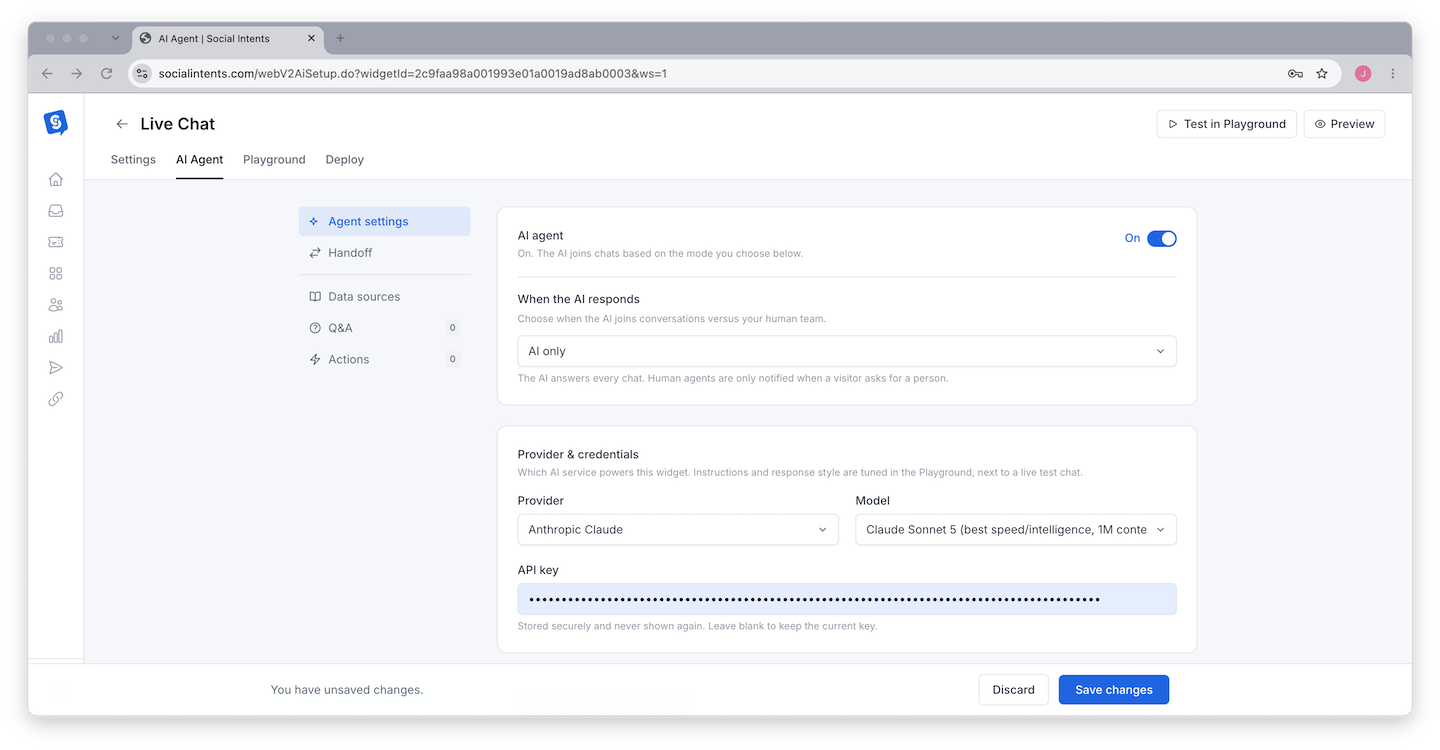
Social Intents supports the three major AI providers - OpenAI ChatGPT, Anthropic Claude, and Google Gemini - and you can switch between them at any time from the AI Agent tab without retraining anything. Here is how they differ for customer-facing chat and how to pick. Each engine also has an overview page: ChatGPT chatbot, Claude chatbot, and Gemini chatbot.
The Short Answer
All three produce excellent customer-facing answers when trained on good content. If you have no preference, start with a fast ChatGPT model - no API key needed, quick responses, strong quality. Switch engines later if you have a reason to; your knowledge, instructions, and actions carry over unchanged.
How They Compare for Live Chat
| Consideration | ChatGPT (OpenAI) | Claude (Anthropic) | Gemini (Google) |
|---|---|---|---|
| Response speed | Fast, especially the mini/nano tiers | Fast on Sonnet-class models; largest models trade speed for depth | Fast, especially Flash-class models |
| Answer style | Direct and versatile | Careful, well-structured, strong at following instructions precisely | Concise, strong factual grounding |
| Long/technical content | Strong | Particularly strong with long documents and nuanced policies | Strong |
| API key | Popular models included; premium tiers may need your key | Included models available; your key unlocks the full range | Included models available; your key unlocks the full range |
Picking a Model Tier
Within each engine you choose a model tier. The tradeoff is the same everywhere:
- Fast/light models (mini, nano, flash tiers) - Sub-second responses, lower cost, great for FAQ-style support. This is the right default for most chat widgets.
- Flagship models - Better reasoning on complex, multi-step questions and long policies, at somewhat slower speeds. Use when your questions are genuinely hard: technical products, compliance-heavy answers, multi-condition pricing.
Visitors weigh speed heavily - a great answer in one second beats a slightly better answer in eight. Start light, and upgrade the tier only if you see reasoning failures in transcripts.
Using Your Own API Key
Adding your own provider key in the AI Agent tab unlocks premium models and bills usage directly to your provider account. Teams do this to use a specific flagship model, to consolidate AI spend, or to satisfy procurement requirements. Your key is stored encrypted and never shown in full after saving.
Switching Engines Safely
- Change provider and model in the AI Agent tab.
- Open the Playground and rerun your standard test questions - tone and phrasing will shift slightly between engines.
- Adjust the instructions if needed (each engine responds a little differently to the same prompt) and save.
Training data, Q&A pairs, AI actions, and handoff settings all work identically across engines - nothing else needs to change.
Frequently Asked Questions
Which engine gives the most accurate answers?
Accuracy is dominated by training quality, not engine choice. A well-trained knowledge base on any engine outperforms a poorly trained one on the "best" model. Invest in training content first.
Can different widgets use different engines?
Yes - the engine is a per-widget setting. Run Claude on your technical docs site and ChatGPT on your marketing site if you like.
Do I pay for AI usage?
Included models draw from your plan's AI response allowance. With your own API key, token usage bills to your provider account instead. See Plans, Billing & Upgrades.
What happens if my chosen model is deprecated?
Provider deprecations are handled gracefully - your bot falls back to a comparable supported model, and the dropdown always reflects the current list.